The i9 9900k remains one of the most talked-about desktop processors years after its release. Built as a flagship chip during its time, it combined high clock speeds, strong multi-core performance, and excellent gaming capabilities. Even today, many enthusiasts continue to use it in gaming rigs and workstations, making it a relevant topic for both beginners and experienced PC builders.
This in-depth guide explores its specifications, gaming performance, overclocking capabilities, and real-world benchmarks while helping you understand whether it still holds value in modern computing. It also examines how this processor compares with newer-generation CPUs in terms of efficiency and raw power.
You’ll gain insight into its long-term reliability and how it performs in everyday tasks and under demanding workloads. Additionally, the guide highlights practical upgrade considerations and compatibility factors for different system builds. By the end, you’ll have a clear understanding of whether this processor fits your current or future computing needs.
| Category | Details | Key Insights |
| Processor Name | Intel Core i9 9900K | Flagship 9th Gen processor |
| Architecture | Coffee Lake Refresh | Optimized and mature design |
| Cores / Threads | 8 Cores / 16 Threads | Strong multitasking performance |
| Base Clock Speed | 3.6 GHz | Solid baseline speed |
| Max Turbo Boost | Up to 5.0 GHz | Excellent for gaming workloads |
| Cache | 16MB Smart Cache | Faster data access and efficiency |
| TDP | 95W (can exceed under load) | Requires proper cooling |
| Socket Type | LGA 1151 | Limited upgrade path |
| Integrated Graphics | Intel UHD 630 | Basic display capability |
| Memory Support | DDR4 2666 MHz (higher OC possible) | Better performance with faster RAM |
| Overclocking Support | Yes (Unlocked Multiplier) | Ideal for enthusiasts |
| Gaming Performance | High FPS, low latency | Great for competitive gaming |
| Productivity Performance | Strong multi-thread output | Good for editing and multitasking |
| Overclocking Range | 5.0–5.2 GHz (typical with cooling) | Boosts overall performance |
| Cooling Requirement | High-end air or liquid cooling | Essential for stability |
| Power Consumption | High under load | Impacts efficiency |
| Real-World Use | Gaming, streaming, content creation | Versatile processor |
| Main Advantage | High clock speed + strong cores | Balanced performance |
| Main Drawback | Heat and power usage | Needs good hardware support |
| Ideal Users | Gamers, creators, enthusiasts | Performance-focused audience |
| Longevity | Still relevant in many builds | Good for upgrades, not new builds |
| Overall Verdict | Powerful but aging CPU | Best for existing platforms |
What is the Intel i9 9900K?
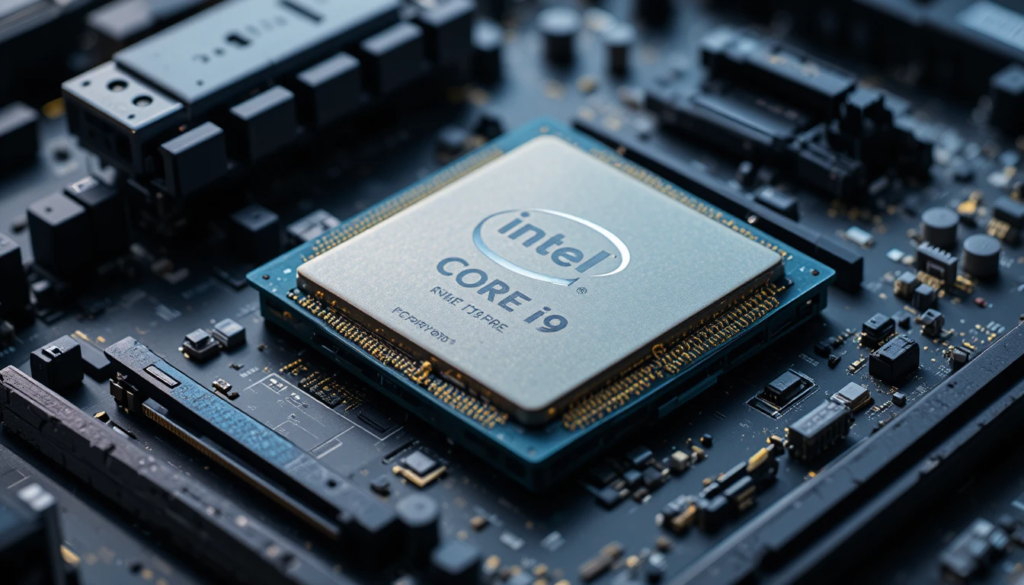
The i9 9900k is an 8-core, 16-thread processor from Intel’s 9th-generation lineup, based on the Coffee Lake Refresh architecture. It was designed for high-end gaming, streaming, and productivity workloads.
Unlike previous generations, this processor introduced hyper-threading across all cores in Intel’s mainstream lineup, significantly improving multitasking performance. Its big boost clock speeds also made it a favorite among gamers seeking top-tier frame rates.
Key Highlights
- 8 cores and 16 threads for multitasking
- Base clock of 3.6 GHz with a boost up to 5.0 GHz
- Unlocked multiplier for overclocking
- Strong single-core performance
- Compatible with LGA 1151 motherboards
Full Specifications Breakdown
Understanding the hardware specifications is essential to evaluating this processor’s real capabilities.
Technical Specifications Table
| Category | Details | Key Insights |
| Processor Name | Intel Core i9 9900K | High-end 9th Gen CPU |
| Architecture | Coffee Lake Refresh | Mature and optimized design |
| Cores / Threads | 8 / 16 | Excellent multitasking |
| Base Clock | 3.6 GHz | Strong baseline performance |
| Max Turbo Clock | Up to 5.0 GHz | Ideal for gaming workloads |
| Cache | 16MB Smart Cache | Faster data access |
| TDP | 95W (higher in practice) | Requires good cooling |
| Socket | LGA 1151 | Limited upgrade path |
| Integrated Graphics | Intel UHD 630 | Basic display support |
| Overclocking | Yes (Unlocked) | High enthusiast appeal |
| Memory Support | DDR4 up to 2666 MHz | Can be overclocked higher |
| Release Year | 2018 | Still relevant in many builds |
Gaming Performance: Still a Strong Contender
When it comes to gaming, the i9 9900k continues to deliver impressive results. Its high clock speeds and strong single-core performance make it ideal for modern titles that rely heavily on CPU speed.
Why It Excels in Gaming
Modern games benefit from both clock speed and core count. This processor provides both, ensuring smooth gameplay across different genres.
- High FPS in competitive games like FPS and esports titles
- Stable performance in open-world and AAA games
- Minimal bottlenecking with high-end GPUs
- Smooth multitasking for streaming and background apps
Real-World Gaming Experience
In practical scenarios, users report:
- Consistent 100+ FPS in many games at high settings
- Smooth gameplay even with background applications running
- Reduced stuttering compared to older quad-core CPUs
Even though newer CPUs exist, this chip still competes well in gaming when paired with a capable graphics card.
Productivity and Multitasking Capabilities
Beyond gaming, the i9 9900k performs exceptionally well in productivity workloads, making it a versatile choice for users who require more than just gaming performance. With its 16-thread capability, it can efficiently handle multiple applications simultaneously without significant slowdowns. This makes it particularly useful for tasks that demand consistent processing power and multitasking efficiency.
Ideal Use Cases
The processor is well-suited for video editing and rendering, where handling large files and complex timelines requires strong multi-thread performance. It is also an excellent option for streaming and content creation, allowing users to game and stream simultaneously without major performance drops.
Additionally, it supports software development tasks, including compiling code and running development environments. For users working in heavy multitasking environments, such as running multiple programs, browser tabs, and background tools, it delivers smooth and reliable performance.
Overclocking Potential: Unlocking Extra Power
One of the biggest advantages of the i9 9900k is its unlocked multiplier, which allows enthusiasts to push the processor beyond its stock speeds and unlock additional performance.
Overclocking Basics
Overclocking increases the processor’s clock speed to improve performance on demanding tasks. This chip is well-known for achieving stable overclocks when paired with proper hardware and cooling solutions, making it a popular choice among performance enthusiasts.
Common Overclocking Results
In real-world scenarios, many users successfully achieve around 5.0 GHz across all cores, which is considered a common and stable target. With advanced cooling systems, some setups can even reach 5.1 GHz or higher. These higher clock speeds result in noticeable improvements in both gaming performance and rendering, delivering smoother, faster system responsiveness.
Important Considerations
Before overclocking, it is important to ensure the system is equipped with high-quality cooling, whether air- or liquid-based. A reliable motherboard with robust VRMs is also essential for stability. Additionally, users should be aware that overclocking increases power consumption and generates more heat, which must be managed properly.
Overclocking Tips
For best results, it is recommended to start with small increments in frequency and test stability after each adjustment. Monitoring temperatures closely is crucial to prevent overheating. Using stress-testing tools can help ensure the system remains stable under load, while maintaining proper airflow inside the case further supports consistent performance.
Thermal Performance and Cooling Needs
Despite its official 95W TDP, the i9 9900k often consumes more power under load, especially when overclocked.
Cooling Requirements
- High-end air coolers or AIO liquid coolers are recommended
- Proper case ventilation is essential
- Thermal paste quality affects performance
Temperature Behavior
- Idle temperatures remain moderate
- Under load, temperatures can rise quickly
- Overclocking increases heat significantly
Proper cooling ensures long-term stability and performance.
Real-World Benchmarks
- Excellent frame rates in 1080p gaming
- Strong performance in CPU-heavy titles
- Minimal frame drops during intense scenes
- Fast rendering in video editing software
- Smooth performance in multitasking scenarios
- Reliable results in content creation workflows
- Strong single-core performance
- Solid multi-core capability
- Balanced performance across different workloads
Advantages and Disadvantages
The processor offers several strong advantages that make it appealing even today. Its high clock speeds deliver excellent gaming performance, especially in titles that rely on fast single-core processing. In addition, its strong multi-thread performance allows it to handle demanding workloads and multitasking with ease.
The chip also stands out for its excellent overclocking potential, allowing users to push performance beyond stock limits. Alongside this, it provides reliable and stable operation, which is essential for long gaming sessions and professional tasks. Despite its age, it remains relevant for many modern applications, making it a dependable option for a wide range of users.
Compatibility and Upgrade Considerations
The i9 9900k uses the LGA 1151 socket, which limits compatibility with newer motherboards.
What to Consider
- Compatible with 300-series chipsets
- Limited future upgrade options
- DDR4 memory supports only
Upgrade Advice
- Suitable for users already on compatible platforms
- Not ideal for new builds compared to modern CPUs
- Better as a cost-effective upgrade for older systems
Practical Tips for Maximizing Performance
To get the most out of this processor, consider the following:
- Pair it with a powerful GPU
- Use fast RAM for better performance
- Maintain proper cooling and airflow
- Keep drivers and BIOS updated
- Optimize system settings for gaming and productivity
These steps can extend its lifespan and improve overall performance.
Conclusion
The i9 9900k stands as a powerful and reliable processor that continues to deliver strong performance even years after its release. With its combination of high clock speeds, solid multi-core capabilities, and excellent overclocking potential, it remains a favorite among gamers and enthusiasts.
While newer processors offer improved efficiency and advanced features, this chip still holds its ground in real-world scenarios. For users with compatible systems, it remains a practical and cost-effective choice. Ultimately, its legacy lies in setting a high standard for mainstream desktop CPUs, proving that a well-designed processor can remain relevant long after its launch.
Want to know about PS5 External Hard Drive: Everything About Compatibility Requirements, Storage Capacity Options, Game Storage Limitations, Potential Issues, And Much More Check out our Gaming category.
FAQs
Yes, it is unlocked and supports overclocking, but proper cooling is required.
Yes, it works well with modern GPUs, although platform limitations may exist.
It depends on your setup. It is a good upgrade for older systems, but not ideal for new builds.
A high-quality air cooler or liquid cooling solution is recommended, especially for overclocking.